

























 Planner
OneNote
Yammer + Forms
Workshops on the use of the platform
Consulting and planning
Power BI
Power Apps + Power Automate
Microsoft 365 Administration

Consulting and planning
Migrations: On-premises to cloud, cloud to cloud, hybrid cloud.
Implementation, management and deployment of virtual machines (IaaS Model)
Deployment of applications and portals (PaaS model)
Deployment of advanced analytics architectures using Azure Sypnase and Azure Data Factory.
SAP Business One on Hana server hosting, based on customer’s requirements
Tableau Server hosting based on consumer needs
DevOps services in Microsoft Azure




Unreliable version control
Delays in idea development and implementation
Inefficient consulting and file sharing
Difficult to involve external contributors
Augmented IT
Longer incorporation time
Lack of a centralized information center
Tools used inconsistently across theorganization
Need for and involvement of a growing remote force
Bring your own devices
Difficult to access and share files remotely
Difficult-to-integrate suppliers and contractors
Challenge to access conversations and notes across platforms or devices.
File sharing outside IT control
No multifactor scoring
Hyperlink-accessible cloud storage
Chat without warranty


More employees working from home
Resources switching to online mode
Employees adapting to new environments
Collaboration goes digital
Reduction of in-person interactions
Feeling isolated due to lack of contact with the equipment




Less concern
Outlook Multifactor Auth
New policies
Deferred upgrades
Single sign-on

Easier to work with
Co-autoria
Meetings via Skype
Modern attachments
Shared notes

Teamwork
The office anywhere
Check your emails more easily
Share your ideas
Intelligent search
Documents always available
Outlook Multifactor Auth
New policies
Deferred upgrades
Single sign-on
Co-authorship
Meetings via Skype
Modern attachments
Shared notes
The office anywhere
Check your emails more easily
Share your ideas
Intelligent search
Documents always available






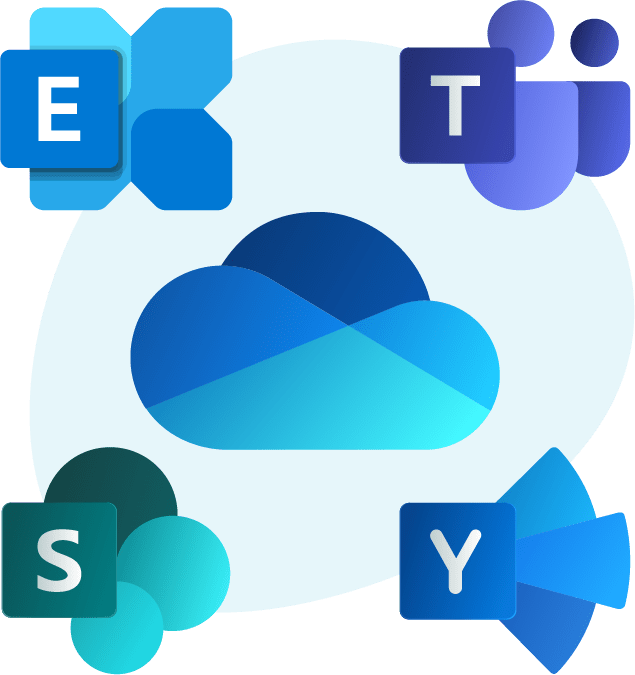
 Exchange Online
Manage your company’s communications across devices.
Share easily and securely, with 50 GB of mailbox storage per user.
Ensure your business mail is always available. Go cloud, deploy on-premise or hybrid.
 OneDrive for Business
Access all your work and files and share them easily.
Secure, reliable and accessible from any device.
1 TB of cloud storage per user that syncs to your PC/Mac for offline access.
 Microsoft Teams
Chat, get messages, audio and video calls, online meetings, from anywhere.
Full capacity for sharing.
Collaborate without compromising privacy and security
Use it as a secure place to create team or project sites, store, access or share.
Access information from any device
Collaborate with colleagues, partners and customers.
 Yammer
Open and dynamic communication throughout the organization
Easily create and organize virtual assemblies, meetings and learning sessions.
Interact with up to 10,000 attendees.
 Additional applications
Stream: Capture, share and discover video from any device.
Form: Create online surveys and questionnaires.
Planner: Manage tasks and work with the members of your company’s groups.
Project: Organize and track tasks efficiently.
Visio: Design flow and process diagrams, concept maps, organization charts, etc.
Increase your knowledge of financial risk and business performance.
Protect customer financial data and ensure compliance.
Improve your customers’ experience.
Increase agility, reduce costs and provide tools to work efficiently.
Gain greater insights to increase focus, team collaboration and performance.
Improve and expand patient care and communications.
Protect patient data and ensure compliance with government regulations.
Improve agility, reduce operational costs and complexity.
Get information about your customer data, store sales and inventory.
Maximize your customers’ experience and build customer loyalty.
Enable store managers and associates to work from anywhere.
Help protect customer data and ensure fulfillment of sales promises.
Improve agility, reduce costs and provide tools to work efficiently.
Ensure operational excellence.
Streamline the supply chain.
Accelerate mergers, acquisitions and incorporations.
Improve field service.
Accelerate product innovation.
Improve agility, reduce costs and provide tools to work efficiently.
Optimize staff performance and increase operational efficiency.
Provide effective training to promote better employee participation.
Add franchises to the business and support it profitably.
Improve agility, reduce costs and provide tools to work efficiently.
Improve your customers’ service and experience.
Access customer information and files 24 hours a day, 7 days a week.
Protect your consumers’ information.
Improve knowledge management.
Elevate the talent of your employees.
Manage deadlines, resources, logistics and budget.
Facilitate collaboration and communication between engineers, project managers and construction workers.
Count on remote diagnostic capabilities.
It consists of accompanying the installation of the licenses and preparation of TEAMS, creation of users, groups, and integration with applications and onboarding chat. Migration is not included.

Service oriented to support operational continuity, preventive monitoring, security, Exchange administration and MS support follow-up. Availability of customized plans.

SmartWorking strategy analysis projects, installation of MS components, email migration, customization and configuration of applications. Security control, etc.

Remote support to the client's IT administration team, responsible for the administration of the servers, to execute the Ms operational continuity service, access control, etc.
Session 4 hours.

Remote, online training for Teams users, with content on key features, benefits and use cases.
Session 4 hours.

Remote, online and business-tailored training for Teams users with advanced feature content and integrated applications.
8-hour session.
 Implementation
Migrations
Consulting and planning
App Development in Power Apps
Business Process Automation
Implementation
Migrations
Consulting and planning
App Development in Power Apps
Business Process Automation  Consulting and planning
Migrations: Onpremise to cloud, cloud to cloud, hybrid cloud.Implementation, Management and deployment of virtual machines (IaaS model)
Deployment of applications and portals (PaaS model)Deployment of Advanced Analytics architectures using Azure Sypnase and Azure Data Factory.IT Services Hosting
Consulting and planning
Migrations: Onpremise to cloud, cloud to cloud, hybrid cloud.Implementation, Management and deployment of virtual machines (IaaS model)
Deployment of applications and portals (PaaS model)Deployment of Advanced Analytics architectures using Azure Sypnase and Azure Data Factory.IT Services Hosting  Implementation of Corporate Intranet
Migrations
Consulting and planning
Workflow and automationsApplication developmentForms development
Integration with other applications of the Microsoft 365 suite
Implementation of Corporate Intranet
Migrations
Consulting and planning
Workflow and automationsApplication developmentForms development
Integration with other applications of the Microsoft 365 suite 
Microsoft 365
Implementation
Migrations
Consulting and planning
App Development in Power Apps
Business Process Automation
Azure
Consulting and planning
Migrations: Onpremise to cloud, cloud to cloud, hybrid cloud.
Implementation, Management and deployment of virtual machines (IaaS model)
Deployment of applications and portals (PaaS model)
Deployment of Advanced Analytics architectures using Azure Sypnase and Azure Data Factory.
IT Services Hosting
Sharepoint
Implementation of Corporate Intranet
Migrations
Consulting and planning
Workflow and automations
Application development
Forms development
Integration with other applications of the Microsoft 365 suite